Two systems that describe the same project and never agree
On most UAE construction projects the programme lives in Oracle Primavera P6 and the money lives somewhere else.
The planner maintains a schedule of several thousand activities with logic, durations and float. Finance maintains a cost ledger organised by account and cost code. Both describe the same project. Neither can answer a question about the other.
Ask “what is the cost impact of the two-week delay to the structural works” and the honest answer in most contracting businesses is that it takes someone half a day and a spreadsheet to find out. By which time the answer has changed.
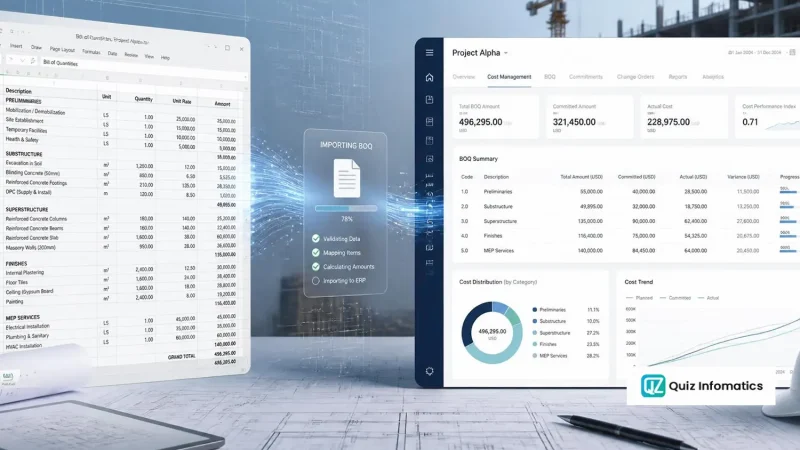
That gap is what integration closes. Not by merging the systems — they do genuinely different jobs — but by giving them one shared structure so a change in one is visible in the other. It is one of the capabilities behind construction ERP software in the UAE.
What Primavera P6 is
Oracle Primavera P6 is enterprise project portfolio management software, and in construction it is used primarily as a scheduling tool. It is the de facto standard on large UAE projects, and on most government and semi-government work it is contractually mandated — the contract requires a P6 programme, updated monthly, submitted in a specified format.
It comes in two forms. P6 Professional is the desktop client most planners work in. P6 EPPM is the web-based enterprise version with a database behind it and a proper API.
What P6 does well:
- Critical path scheduling across thousands of activities with complex logic
- Resource loading and levelling
- Baseline management and variance against baseline
- Multi-project portfolio views
- Progress updating and forecast completion
- Delay analysis, which is why it appears in nearly every construction claim
What P6 is not: a financial system. It has cost fields and it can carry budgets, but it does not hold your ledger, process invoices, run payroll or handle procurement. Contractors who try to run project cost control inside P6 end up maintaining a shadow cost system that finance does not recognise and auditors will not accept.
Why the two systems stay separate
There is a recurring instinct to replace one with the other. It is worth explaining why that does not work.
P6 cannot replace the ERP because it has no ledger, no payables, no VAT, no payroll and no procurement. Cost data in P6 is planning data, not accounting data.
The ERP cannot replace P6 because ERP scheduling modules are, almost without exception, not critical-path schedulers at the depth construction requires. And more practically: the consultant requires a P6 programme in P6 format. Producing it from something else is not an option on most contracts.
So they coexist. The integration question is not which one — it is what crosses between them.
The structure that makes integration possible
Everything depends on one thing: a shared coding structure that both systems understand.
Without it there is no integration, only file transfer. With it, most of the useful connections become straightforward.
Activity codes and cost codes
P6 has activity codes — user-defined attributes attached to activities. The ERP has cost codes driving budget and actual cost.
The integration is built by populating a P6 activity code with the ERP’s cost code, so every scheduled activity carries the cost code it consumes.
That single field lets you answer, automatically:
- Which cost codes are on the critical path
- What proportion of a cost code’s budget relates to activities that have slipped
- Which activities are consuming a cost code that is already over-running
On BOQ-driven projects this usually means a three-way link — BOQ line → cost code → P6 activity — with the work breakdown structure as the common spine. Getting that alignment right at project setup is the single highest-value hour of the whole exercise.
WBS alignment
P6 has its own WBS. The ERP has a project structure. They should be the same structure, and on a well-set-up project they are.
Where they diverge — usually because the planner built the P6 WBS around construction sequence and finance built theirs around cost reporting — every subsequent comparison requires a translation table that somebody maintains by hand and nobody updates.
Agree the WBS once, at project setup, with planning, commercial and finance in the room. Retrofitting it after three months of transactions is possible and painful.
What to integrate
Not everything should cross the boundary. Overbuilt integrations are fragile and become a maintenance burden nobody owns.
Worth integrating
Progress from P6 to the ERP. Percentage complete by activity, rolled up to cost code, driving earned value and revenue recognition. This is the highest-value connection and the one to build first.
Cost codes and WBS from the ERP to P6. Maintain the structure in one place — the ERP — and push it into P6 rather than maintaining two lists.
Actual cost from the ERP to P6. Lets the planner see spend against activity, which improves forecast quality considerably.
Milestone dates both ways. Contractual milestones drive payment. Dates should be consistent, and where they are not, that discrepancy is itself worth surfacing.
Resource quantities from the ERP to P6. Labour hours and plant days from timesheets, feeding P6’s resource actuals.
Not worth integrating
Full transaction detail into P6. P6 is not a ledger and does not want to be. Push summarised cost by cost code, not individual invoices.
Schedule logic into the ERP. Predecessors, successors and float are P6’s job. An ERP holding schedule logic is duplicating a function it will perform worse.
Live bidirectional sync of everything. Tempting, and a reliable way to build something brittle. Scheduled, controlled, one-directional-per-field exchange is more robust and easier to debug when it breaks — and it will break.
How the exchange actually happens
Four routes, in increasing order of sophistication.
XER file exchange. P6’s native export format. Universally supported, exports and imports the full project, and it is what consultants exchange. Fine as a manual monthly process. Not suitable for automation — it is a full project file, not a delta, and importing one overwrites more than you intend.
P6 XML. More structured than XER, better for selective data exchange, and better supported by integration tooling.
P6 EPPM API. The proper route. P6 EPPM exposes a documented API allowing controlled read and write against specific fields on a schedule. This is what any production integration should use.
Middleware or an integration platform. For contractors running several systems — P6, ERP, document control, a field app — a middleware layer handles the orchestration rather than each pair of systems having its own point-to-point connection. Worth it above three systems, over-engineering below that.
A caution on P6 Professional. The desktop version with a standalone database has no API worth using. If integration matters, that is an argument for P6 EPPM, and it is a licensing conversation to have before the integration project starts rather than during it.
Earned value across both systems
This is where integration earns its cost, and it is the reason to do it at all.
Earned value management needs three numbers: planned value, earned value and actual cost.
- Planned value comes from the time-phased budget — the ERP budget spread across the P6 schedule
- Earned value comes from progress — measured in P6, valued at the ERP’s budget rates
- Actual cost comes from the ERP
No single system holds all three. Which is precisely why contractors calculate earned value in a spreadsheet once a month, if at all, and why the number is usually a fortnight old by the time anyone sees it.
With the two systems sharing a cost code structure, all three come out automatically. Schedule performance index and cost performance index become a monthly report rather than a project. And critically, they can be produced at cost code level rather than for the project as a whole — which is the difference between knowing the project is behind and knowing which part of it is behind.
Where the cost of delay actually appears
The most valuable output of integration, and the one that changes commercial conversations.
A two-week delay to structural works has no cost in P6. It shows as a date movement.
In the ERP it has a very specific cost: extended preliminaries — site staff, accommodation, site running costs — for two additional weeks, plus plant standing time for equipment that cannot be released, plus labour retained on site with nothing to do.
Without the link, the planner reports a delay and the commercial team reconstructs the cost impact weeks later, from memory and assumption. With it, the delay carries a number the day it is recorded.
That number is what a claim is built from, and it is far more defensible when it was calculated contemporaneously than when it was assembled during the dispute. This is the same discipline that makes construction project management software worth having alongside the commercial system rather than instead of it.
The UAE contractual dimension
Something that shapes P6 use in this market more than in most, and that a generic guide would miss.
The programme is a contract deliverable. On the majority of substantial UAE projects the contract requires a baseline programme in P6, submitted for approval within a defined period after commencement, and updated monthly thereafter. Late or missing submissions are a contractual breach in their own right, independent of whether the project is actually on time.
That makes the P6 file evidence. Every monthly update is a dated snapshot of what the contractor said the position was at that point. In a delay claim eighteen months later, those snapshots are the primary record — and they are far more persuasive than a retrospective analysis, because they were produced before anyone knew which arguments would matter.
Which has an implication for integration. If progress in P6 is being updated to satisfy a submission requirement, and progress in the ERP is being updated to value an interim payment, and the two are produced by different people from different measurements, the contractor has created two contemporaneous records that disagree. An opposing expert will find that, and the disagreement will be used.
Aligning them is not only an efficiency argument. It is a risk argument, and it is usually the one that persuades a commercial director when the efficiency case has not.
Three practical consequences:
Update both from the same measurement. Whoever measures progress on site should produce one set of figures that drives both the P6 update and the valuation. Where the QS measures for payment and the planner estimates for the programme, divergence is guaranteed.
Keep the baseline discipline in both systems. The P6 baseline is approved and frozen; the ERP budget baseline should be frozen at the same point and revised through the same change control. Two baselines revised on different triggers cannot be compared.
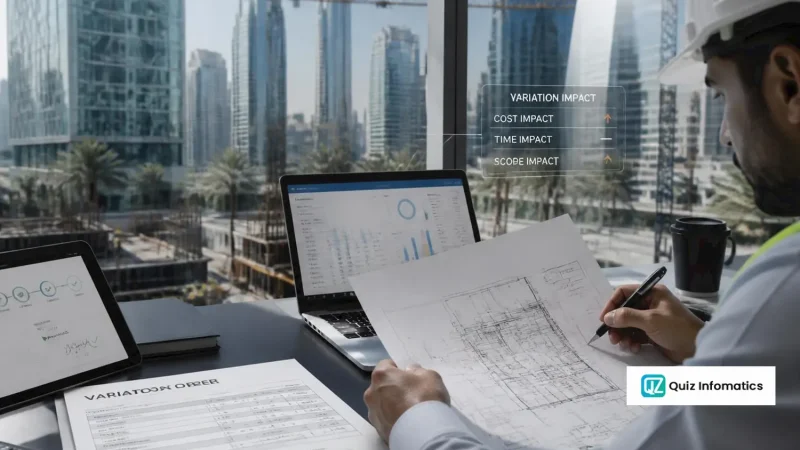
Record approved variations in both. An approved variation order changes both the scope in the programme and the budget at completion in the ERP. Updating one and not the other is common, and it silently breaks every performance metric calculated afterwards.
None of this requires a technical integration. It requires the planner and the commercial manager to agree a process. The integration makes it easier and more reliable — but the discipline has to exist first, or the integration will simply automate an inconsistency.
Implementation approach
1. Agree the shared structure first. WBS and cost codes, signed off by planning, commercial and finance. Do not start technical work until this exists. It is a workshop, not an email thread.
2. Populate P6 activity codes with cost codes. On an existing project this is a mapping exercise across every activity. Tedious, unavoidable, and much easier at project setup — which is an argument for starting on a new project.
3. Build one direction first. Progress from P6 into the ERP. Prove it, use it for two months, then extend.
4. Set the exchange cadence. Monthly aligned to the valuation cycle is right for most contractors. Weekly on fast-moving projects. Real-time is almost never necessary and adds fragility for no benefit.
5. Define who owns the reconciliation. When the two systems disagree — and they will — somebody has to be responsible for resolving it. Unowned discrepancies become accepted discrepancies, and then the integration is decorative.
6. Pilot on one project. Not the largest, and not the most political.
Why these projects fail
No shared structure. Every failure traces back here eventually. Two systems with different WBS and different codes cannot be integrated, only exported to each other.
The planner and the commercial manager never spoke. P6 belongs to planning, the ERP to commercial and finance. Where those functions do not collaborate, the integration is a technical solution to an organisational problem and it will not stick.
Over-engineering. Bidirectional real-time sync of thirty fields. Impressive, brittle, and abandoned within a year.
Progress measured differently in each system. P6 shows 40% on activity duration, the ERP shows 55% on cost incurred. Both are legitimate measures of different things. Somebody has to decide which drives valuation, write it down, and hold to it.
Integration built on P6 Professional standalone. No usable API, so the integration becomes file-based, manual and fragile.
Nobody maintains it. The person who built it leaves, P6 gets upgraded, the ERP gets a new release, and the connection silently stops working. Discovered three months later.
When integration is not worth it
Worth saying plainly.
If your projects are small enough that a planner and a commercial manager sitting together for an hour a month can reconcile programme and cost adequately, integration is over-engineering. The threshold is roughly where reconciliation stops being an hour and starts being a day, or where the number of live projects makes manual reconciliation unreliable.
Below that, the useful step is not integration — it is aligning the cost codes and WBS between the two systems so the manual reconciliation is fast and accurate. That alone captures most of the benefit for a fraction of the effort, and it is the prerequisite for integration later anyway. Project costing software with a cost structure that matches the programme gets you most of the way there.
Part of our complete guide to ERP for construction.