What is a work breakdown structure?
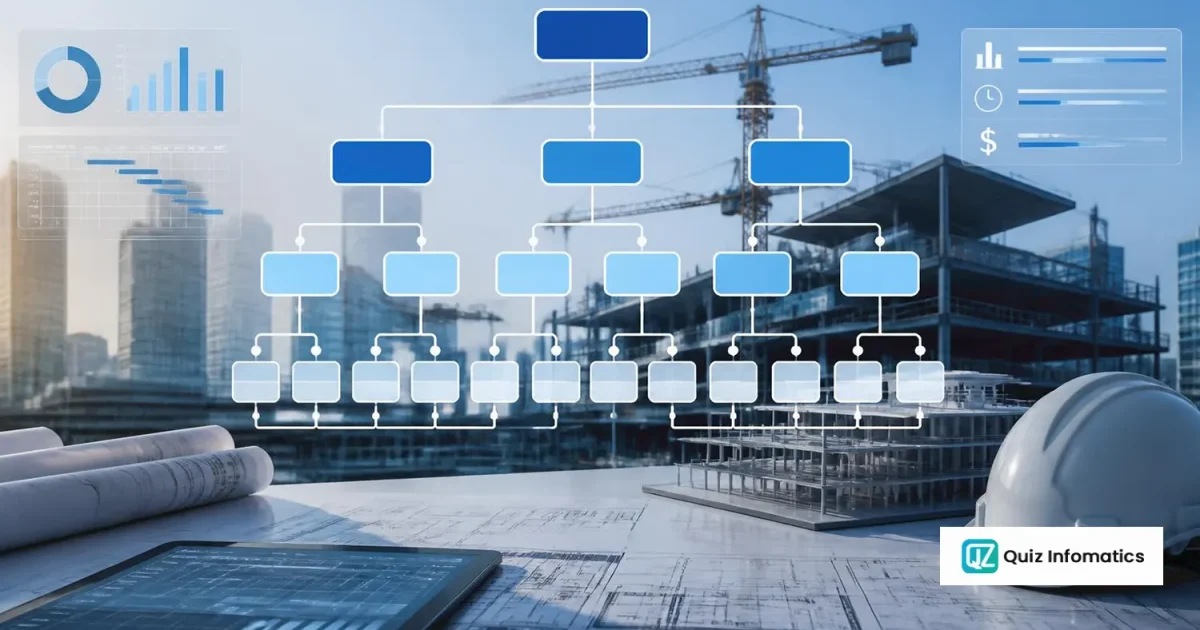
A work breakdown structure, or WBS, is a hierarchical decomposition of everything a project must deliver, broken down into progressively smaller pieces until each piece is small enough to be estimated, assigned and controlled.
It starts with the whole project at the top and divides downward — by deliverable, by phase, by system or by area — until it reaches work packages: units of work small enough that someone can own one, price one and report progress against one.
The critical distinction, and the one that trips people up: a WBS describes deliverables, not activities. It answers what the project produces. The schedule answers when and in what order. Confusing the two produces a WBS that is really a task list, which cannot be used for cost control because costs do not attach to it cleanly.
It is the structural backbone of a project. The budget is built on it, cost is captured against it, progress is measured against it, and earned value management is calculated from it. Get the WBS wrong and every downstream control is compromised — which is why it is worth spending time on at project setup rather than discovering the problem in month four.
The 100% rule
One principle governs everything else.
The WBS must include 100% of the work required to complete the project — and nothing more.
Two halves, both mandatory.
Nothing missing. Every deliverable, every piece of scope, appears somewhere. Anything omitted from the WBS has no budget, no owner and no place to report progress. It gets done anyway — projects do not fail to build things because the WBS forgot them — but it gets done outside the control structure, and its cost appears as an unexplained variance.
Nothing extra. Work that is not in scope does not appear. A WBS containing optional items, wish-list scope or work belonging to another contract creates budget for things nobody is obliged to deliver.
The rule applies at every level. A parent element must equal exactly the sum of its children. If “External Works” decomposes into landscaping, boundary wall and car park, then those three must together constitute all of external works. Add a fourth thing later and either it belonged there — in which case the original decomposition was incomplete — or it belongs elsewhere.
This is what makes a WBS a control structure rather than a list. Because every level sums exactly, cost and progress roll up without leakage, and a figure at level 2 can be trusted because it is the arithmetic sum of the levels beneath it.
Levels and work packages
A typical WBS runs three to five levels. More than six is usually a sign that activities have crept in.
The levels of a work breakdown structure, with a construction example
| Level |
Contains |
Construction example |
| 1 |
The project |
New office tower, Business Bay |
| 2 |
Major deliverables or phases |
Substructure · Superstructure · Envelope · MEP · Finishes · External works |
| 3 |
Sub-deliverables |
MEP — HVAC · Electrical · Plumbing · Fire protection |
| 4 |
Work packages |
HVAC — Chiller plant · AHU installation · Ductwork · Controls |
| 5 |
(only where needed) |
Ductwork — Levels 1–10 · Levels 11–20 |
What makes a good work package
The lowest level of the WBS, and the level at which the project is actually managed. A work package should be:
- Assignable — one person or one subcontractor can own it
- Estimable — you can price it with reasonable confidence
- Measurable — progress against it can be assessed objectively
- Discrete — its boundaries are clear and do not overlap another package
- Appropriately sized — commonly cited as no more than 80 hours or one reporting period, though on construction projects that guidance is too small and package size is better judged by whether it can be sensibly measured monthly
The practical test: if you cannot say what “60% complete” means for a work package, it is not a work package. It is either too large, or it is a phase rather than a deliverable.
Control accounts
Above the work packages sits a management layer that many WBS explanations skip and every real project needs.
A control account is the level at which cost and schedule performance are measured and reported. It sits above work packages and below the top of the structure — usually level 2 or 3 — and each has a single accountable owner.
This is where the practical tension resolves. Work packages give the granularity needed to plan and assign work. But a project with 400 work packages cannot be reported on at that level — nobody reads a 400-line variance report. Control accounts aggregate them into 20 or 40 reportable units with named owners.
Earned value is calculated at control account level. Cost is captured at work package level and rolls up. Reporting happens at control account level and rolls up again to the project.
Choosing where control accounts sit is one of the more consequential setup decisions. Too high and problems hide inside a large aggregate. Too low and reporting becomes unreadable and nobody uses it.
The WBS dictionary
The WBS itself is a hierarchy of names. The names are not self-explanatory, however carefully chosen.
A WBS dictionary records, for each element:
- WBS code and title
- A description of the work included
- What is explicitly excluded — the most valuable field, and the most often left blank
- Deliverables and acceptance criteria
- Responsible owner
- Budget
- Assumptions and constraints
The exclusions field prevents the most common WBS argument. “Ductwork” — does that include insulation? Fire dampers? Builder’s work in connection? Two people can hold different answers for months, and the disagreement surfaces when the subcontract is let or when a variation is claimed.
On construction projects the BOQ does much of this work already, because BOQ item descriptions are written to a measurement standard and are contractually precise. That is one reason construction WBS structures are frequently BOQ-driven rather than built independently.
WBS, schedule and organisation chart — the differences
Three structures, routinely confused.
How a work breakdown structure differs from a schedule and an organisational breakdown structure
|
WBS |
Schedule |
OBS |
| Answers |
What is delivered |
When and in what order |
Who is responsible |
| Organised by |
Deliverables |
Activities and logic |
Reporting lines |
| Contains dates |
No |
Yes |
No |
| Contains dependencies |
No |
Yes |
No |
| Contains cost |
Yes, via budget |
Sometimes |
No |
A WBS has no dates and no logic. As soon as an element reads “install ductwork after ceiling grid”, it has become a schedule activity. The WBS says ductwork; the schedule says when it happens and what it follows.
The relationship between them: the WBS defines the work, the schedule sequences it. Activities in the schedule reference WBS elements, so a delay to an activity is traceable to the deliverable it belongs to and therefore to a cost code. That link is what makes Primavera P6 integration possible — without a shared WBS there is nothing to integrate on.
The OBS — organisational breakdown structure — maps the WBS to responsibility. Cross them and you get a responsibility assignment matrix showing which team owns which control account.
Building a WBS: the practical method
1. Start from the contract deliverables. What has the project committed to produce? That is level 2.
2. Choose a consistent decomposition logic per branch. By deliverable, by phase, by system, by area, or by discipline. Different branches may use different logic, but be consistent within a branch. Mixing “Substructure, Superstructure, Procurement, Level 3” in the same level produces a structure nobody can navigate — two of those are physical, one is a function and one is a location.
3. Decompose to work package level. Stop when packages are assignable, estimable and measurable. Not before, and importantly not after.
4. Apply the 100% rule at each level. Check that children sum to the parent, with nothing missing and nothing extra. Do this deliberately, level by level.
5. Add the management elements. Project management, design, procurement, commissioning, handover. These are real work with real cost and they belong in the WBS — omitting them is the most common breach of the 100% rule.
6. Code it. A numeric hierarchy — 1, 1.1, 1.1.1 — that carries through into cost codes and into the schedule.
7. Write the dictionary. Particularly the exclusions.
8. Get it agreed by everyone who will post against it. Planning, commercial, procurement and finance. A structure agreed by one function and imposed on the others will be worked around within a month.
WBS in construction
Construction WBS has a characteristic that most project management writing does not address: the BOQ usually exists first.
On a typical UAE project the consultant issues a priced bill of quantities organised into bills and sections. That structure already divides the project into measurable, priced packages. Building an entirely independent WBS and then mapping it to the BOQ creates two structures and a translation problem.
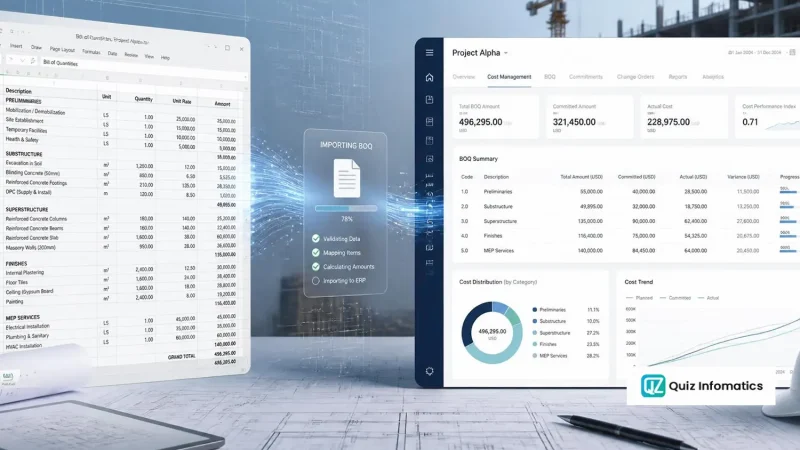
The practical answer is a BOQ-driven WBS. Bills become level 2, sections become level 3, and groups of BOQ items become work packages. The structure inherits the measurement discipline of the bill, and cost codes align to it naturally.
Where this needs care:
Preliminaries do not sit in the measured bills but must appear in the WBS — they are 8–12% of the project and they need a home with an owner.
Provisional sums need their own WBS elements so expenditure against them is visible and separable from measured work.
Design and management are work the BOQ may not measure, and they must be added.
Area-based reporting. BOQs are usually organised by trade. Site management frequently wants to see cost by building, floor or zone. That is a second dimension, and the answer is a coding structure with both — trade and location — rather than two competing hierarchies.
Where this alignment is set up properly, the BOQ import from the estimating system creates the WBS and the cost codes in one operation rather than three separate exercises.
Why the WBS decides whether cost control works
The connection is direct and it is worth stating explicitly.
Cost codes derive from the WBS. Every work package or control account has one. Purchase orders, subcontracts, timesheets and plant charges code to it. Without a WBS, cost codes get invented by finance around the chart of accounts, and the resulting structure reports cost by type — materials, labour, subcontract — rather than by deliverable. That tells you what you spent money on. It does not tell you which part of the project is over-running.
Budget attaches to WBS elements. The estimate is allocated down the structure, giving a budget at every level.
Commitment attaches to WBS elements. A purchase order coded to a work package updates committed cost against that package immediately, which is what makes procurement software a cost control tool rather than an ordering tool.
Progress is measured at WBS level, which is what makes earned value possible.
Variations attach to WBS elements, so a variation order has a visible cost impact on a specific part of the project rather than a general effect on the total.
The chain runs: WBS → cost codes → budget → commitment → actual → earned value → forecast. Every link depends on the first one. This is why project costing software is only as useful as the breakdown structure underneath it, and why construction ERP software in the UAE should be judged on how it holds one.
Common mistakes
Building a task list instead of a WBS. Elements starting with verbs — “install”, “procure”, “review” — are activities. WBS elements are nouns: deliverables and outputs.
Decomposing too far. A WBS with 2,000 elements is unmanageable. Stop at the level you can genuinely control. Detail below that belongs in the schedule.
Decomposing unevenly. One branch at five levels, another at two, with no reason for the difference. Usually reflects where the estimator had detail rather than where the project needs control.
Omitting management and overhead work. Project management, design coordination, commissioning, handover documentation. All real cost. Excluding them breaches the 100% rule and understates the budget.
Mixing organising principles at the same level. Physical elements alongside functions alongside locations.
Building it without the people who will use it. The most common failure of all. A WBS designed by the planner and imposed on procurement and finance will be bypassed, and within two months there are three structures again.
Changing it mid-project without control. The WBS is a baseline. It can change — scope changes — but through a controlled process that preserves comparability with the original. Silently restructuring it makes every prior report incomparable.
Part of our complete guide to ERP for construction.