A till that cannot take payment for twenty minutes does not lose one sale. It loses the whole queue.
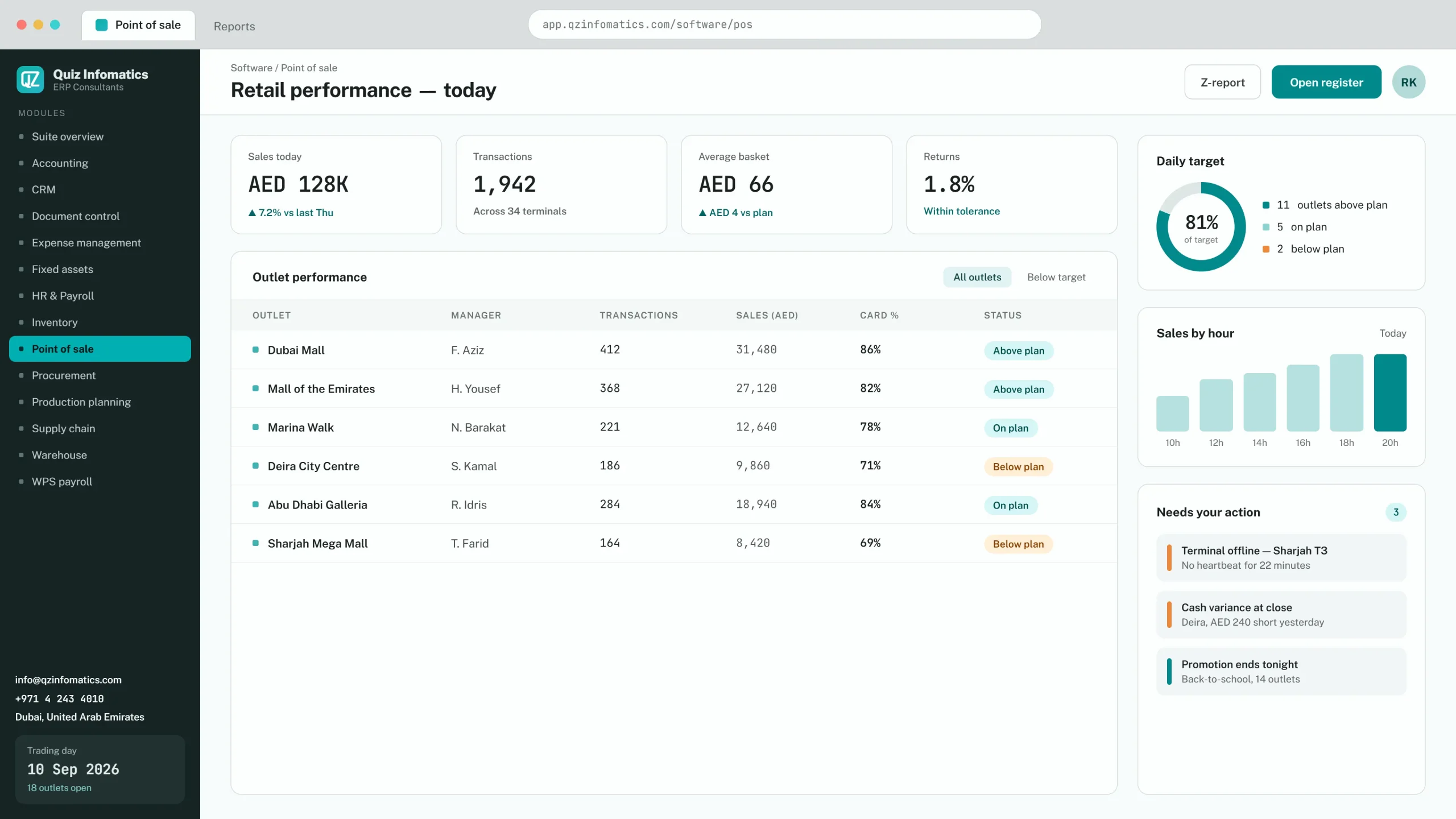
POS software runs the point of sale — scanning items, applying pricing and promotions, taking payment, issuing a VAT-compliant receipt and updating stock in real time. In a retail setting it also handles returns, exchanges, loyalty and end-of-day cash reconciliation, with every transaction posting to your accounts as it happens.
✓ VAT-compliant receipts at the counter✓ Offline mode that actually trades✓ Multi-store stock visibility✓ Posting to the ledger as it happens
Scope
What a retail POS system does
At the counter
Barcode scanning, price lookup, promotions and bundle pricing, split payment, returns and exchanges, gift vouchers, held transactions and layaway.
Behind the counter
Real-time stock deduction, purchase receiving, inter-store transfers, stock counts, and reorder alerts against minimum levels.
At close
Cash declaration and variance, card settlement reconciliation, and a Z-report that ties to the ledger without anyone re-entering figures.
Above the store
Sales by product, category, hour, staff member and store, with margin visible rather than calculated later.
UAE specifics
What a POS system in Dubai specifically needs
5% VAT with compliant tax receipts
Carrying the mandatory fields. Simplified tax invoices below the threshold, full tax invoices above it, and the ability to issue a full invoice on request at the counter.
UAE payment terminal integration
Integrated rather than standalone terminals, so the amount is pushed to the machine and the approval comes back to the transaction. Standalone terminals are where keying errors and end-of-day variances come from.
Arabic and English receipts
Expected by many customers and required by some landlords and government-adjacent retail.
Offline mode
Non-negotiable. Mall connectivity fails, and a store that stops trading during an outage loses more than the transactions.
Mall reporting
Many UAE mall leases require daily sales reporting to the landlord in a specified format, sometimes with a direct feed. Confirm your specific mall's requirement before selecting.
Offline
Offline mode matters more than it sounds
Good POS software keeps trading during an internet outage by holding transactions locally and syncing when the connection returns.
When the connection drops
A queue that stops moving disperses
× Customers with a basket put it down and leave
× The lost revenue is the twenty behind the transaction in progress
× And the customers who now believe the store is unreliable
× Some products handle cash only when offline
× Some simply stop
What good looks like
Trading continues, syncing later
✓ Transactions held locally and synced when the connection returns
✓ Cash and card handled, not cash alone
✓ Returns processed offline as well as sales
✓ Stock reconciled on reconnection rather than re-keyed
✓ Test it in the demo: ask the vendor to disconnect the terminal
Ask the vendor to disconnect the terminal during the demo and complete a sale, a return and a card payment. That single test separates the products that handle it fully from the ones that claim to.
Integration
Connecting POS to inventory and accounts
A standalone POS
Gives you a sales figure
It records what was sold and for how much. Stock and margin are then reconstructed somewhere else, usually the following week.
› A sales total, by day and by till
› Stock updated by an end-of-day upload somebody has to remember
Shared across every store, with stock visible across locations and transfers tracked between them.
Store view and network view
Store managers see their own performance; head office sees the comparison that matters most — same product, same price, different conversion rate between two stores. That gap is usually staffing or placement.
Prices pushed centrally
Changes applied once rather than at each till, which removes the most common source of pricing disputes at the counter.
The boundary
Retail POS or restaurant POS?
They are genuinely different products, and using the wrong one creates daily friction for staff and unreliable reporting for management.
Retail POS compared with restaurant POS
Retail POS
Restaurant POS
Built around scanning and stock units
Built around tables and covers
Returns and exchanges
Modifiers and course timing
One transaction, one customer
Split bills, transferred tables
Stock deducts by SKU
Stock deducts by recipe ingredient
Loyalty on purchase history
Kitchen display routing
If you run a cafe, restaurant or cloud kitchen, the restaurant management page is the right starting point — this page will not serve you well.
Cost
Hardware and cost
01Hardware
A terminal or tablet, receipt printer, barcode scanner, cash drawer, and a payment terminal from your acquiring bank. Cloud POS runs on standard hardware, which keeps the upfront cost low.
02Cost
Subscriptions are usually charged per terminal per month, with hardware bought separately and payment terminal fees set by your bank. Implementation depends on catalogue size and what is being migrated.
03Timeline
One to three weeks per store. Most of the effort is the product catalogue — barcodes, categories, pricing, tax codes and opening stock. Groups configure one store properly, then replicate.
POS FAQs
What retailers ask us about POS software
What is POS software?
POS software runs the point of sale: scanning items, applying pricing and promotions, taking payment, issuing a VAT-compliant receipt and updating stock in real time. In a retail setting it also handles returns, exchanges, layaway, loyalty and end-of-day cash reconciliation.
What should a POS system in Dubai include?
5% VAT handling with compliant tax receipts, integration with UAE payment terminals, Arabic and English receipt printing, multi-store stock visibility, loyalty, and offline mode so trading continues if the internet drops. Mall-based retailers often also need daily sales reporting in the landlord’s required format.
Does POS software connect to inventory and accounting?
Yes. Each sale deducts stock immediately and posts revenue, VAT and cost of goods sold to the ledger, so stock and margin stay accurate without an end-of-day upload. Purchase receiving, inter-store transfers and stock counts run through the same system.
Can it manage multiple stores?
Yes. Multi-store setups share one item master and price list, with stock visible across locations, transfers tracked between them, and consolidated sales reporting by store, category and hour. Store managers see their own performance while head office sees the whole picture.
What hardware do I need for a retail POS?
A terminal or tablet, receipt printer, barcode scanner, cash drawer, and a payment terminal from your acquiring bank. Cloud POS runs on standard hardware, which keeps upfront cost low. Barcode label printing is worth adding for any retailer that receives unlabelled stock.
Does POS software work offline?
Capable POS software keeps trading during an internet outage by holding transactions locally and syncing when the connection returns. This matters more than it sounds: a store that cannot take payment for twenty minutes loses the whole queue, not just one transaction.
How much does POS software cost in the UAE?
Subscriptions are usually charged per terminal per month, with hardware bought separately and payment terminal fees set by your acquiring bank. Implementation cost depends on catalogue size and whether stock data and customer history are being migrated. Odoo POS is a common choice where the business already runs Odoo.
What is the difference between retail POS and restaurant POS?
Retail POS is built around scanning, stock units and returns. Restaurant POS is built around tables, courses, modifiers, kitchen routing and split bills. They are genuinely different products, and using the wrong one creates daily friction for staff and unreliable reporting for management.
Book a free 30 minute call with QZ Infomatics in Dubai. You will leave it with a platform recommendation, the reasoning behind it, a realistic timeline and an indicative budget band — before you commit to anything.
✓ A consultant who delivers projects, not a sales desk
✓ Odoo, Microsoft Dynamics 365 and Oracle NetSuite compared honestly
✓ Licence cost and implementation cost quoted as separate numbers
✓ If we are not the right fit for you, we will say so